Training, consent, and answering
The short training you do first, what you confirm before submitting, and how answering works.
How it works
Everything you agree to is shown on the invite page itself, before you write a word. You answer the questions in writing, in your own words and your own time — there is no call to schedule unless a later engagement proposes one and you accept it.
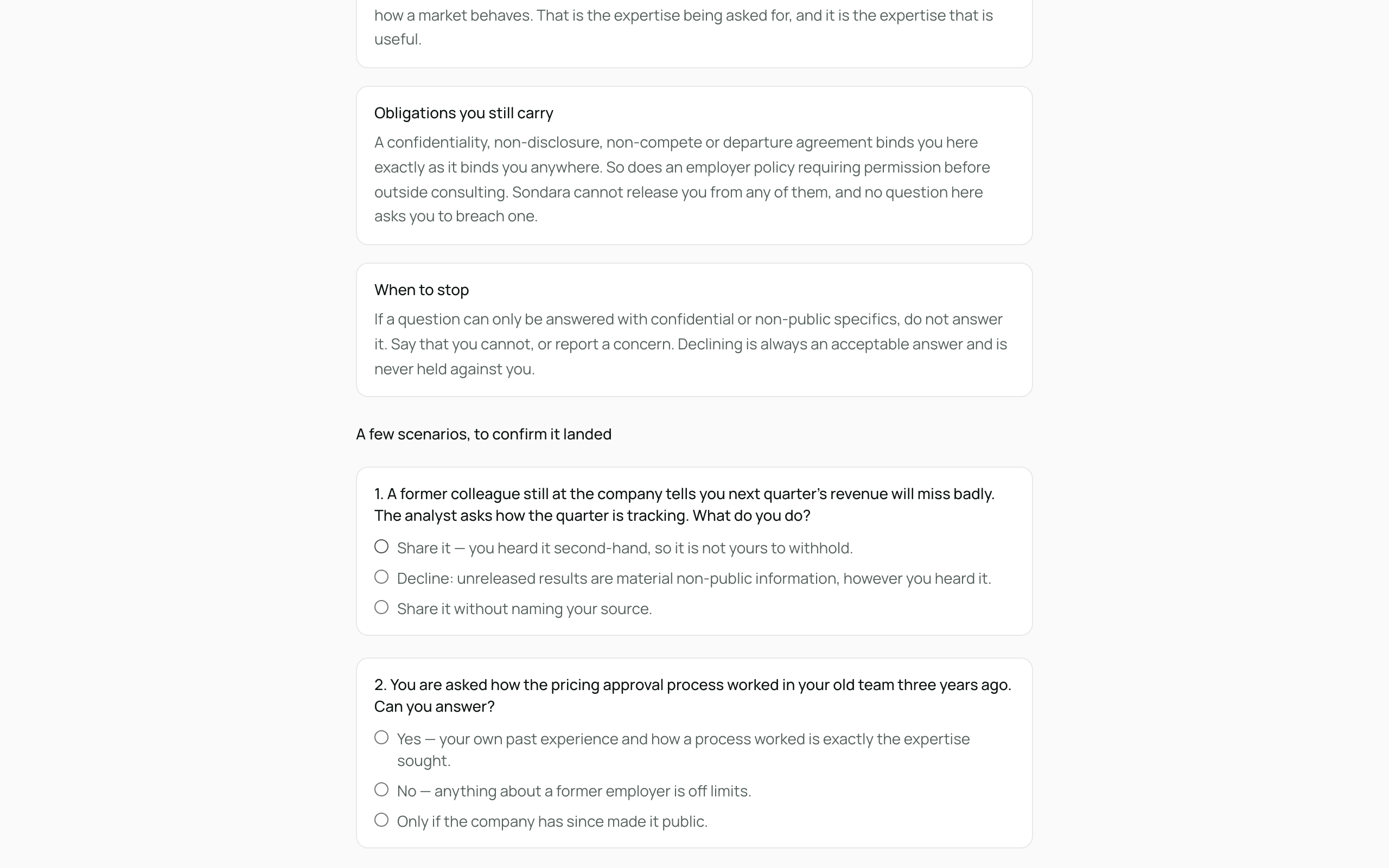
The first time you're invited, you do a short training before you see the questions. It's four sections on what material non-public information is, what you can share, what obligations you still carry, and when to stop — then three scenarios to confirm it landed. It takes a few minutes.
There is no way to fail it. You must get all three scenarios right to continue, but you can try as many times as you like, and a wrong answer counts against you in no way at all. If one doesn't go through, the page tells you which to look at again and you pick again. The point is that you end up knowing the rules, not that you get them right first time.
You won't do it again on your next invite. The completion is recorded against you, not against one engagement, and it stays good for as long as the requesting firm's policy says — usually a year. Some firms set it shorter, and a few ask for it every time, so you may occasionally see it come round again.
Before you can submit, you confirm — by checking each statement — that:
- your answers draw only on your own experience and public or industry knowledge, not material non-public information;
- nothing you share is covered by a confidentiality, non-disclosure, or departure agreement;
- you have no undisclosed conflict of interest in the engagement;
- you have your employer's permission to take part, where your employer's policy requires it. If no policy of yours requires permission, this statement is simply true for you as it stands.
These aren't fine print — they're the substance. Sondara's value to the firms asking is that answers are clean; your protection is that you're never asked for anything else. A reminder of these rules sits above the questions on every invite, training or no training.
What you do
- If the training shows, read the sections and answer the three scenarios, then click Check my answers. If it doesn't show, you've already done it.
- Read your advisor agreement, tick I have read the agreement above, I agree to it, and I am signing it electronically, and click Sign and continue. Nothing is recorded and nothing is signed until you do — see Your signed documents below.
- Read each question and answer in the text box beneath it, in your own words. Length is yours to judge — substance beats polish.
- Name your price in the Your price for this response (USD) field.
- Check each confirmation statement.
- Click Submit answers. The requesting team reviews them; you'll hear about next steps and payment.
If something felt wrong
Report a concern sits at the bottom of your invite page. Use it if you were asked about anything you consider material non-public information, or if anything else about the request felt wrong. Write what happened and click Send report.
It is available the whole time the link works — before you have agreed to anything, while you are answering, and after you have submitted. That is deliberate: the moment you realise what you were asked is usually after you answered it, and a control you can only reach mid-flow is one that fails exactly when you need it.
What happens next: your report goes to Sondara's compliance team and is kept on record, stored exactly as you wrote it and never edited. What we conclude is recorded beside it, not over it. Reporting a concern does not affect your engagement or your payment, and you do not need to identify yourself again — the link already does.
Your signed documents
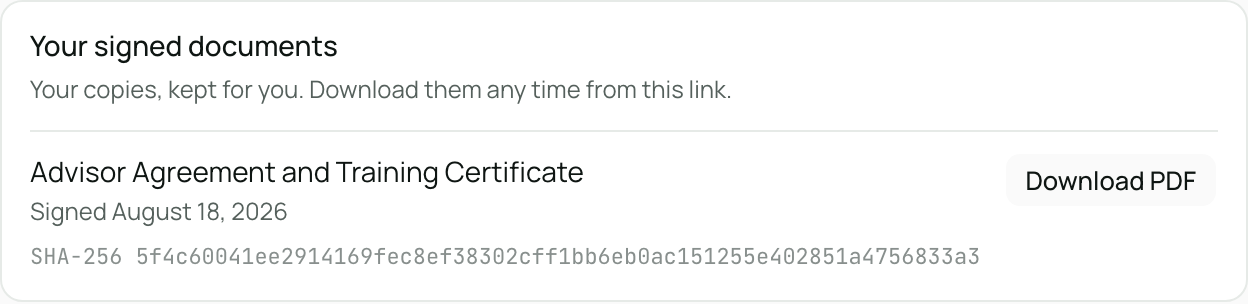
Two documents are signed in your name, and you get a copy of each on the invite page under Your signed documents. Click Download PDF to keep one.
You sign the first of them yourself, on the page, after the training check. The full agreement is shown to you — not a summary and not a link — and nothing is recorded until you tick the box and click Sign and continue. You do not have to: without it we cannot accept answers from you and the questions stay locked, which is a legitimate way to leave it.
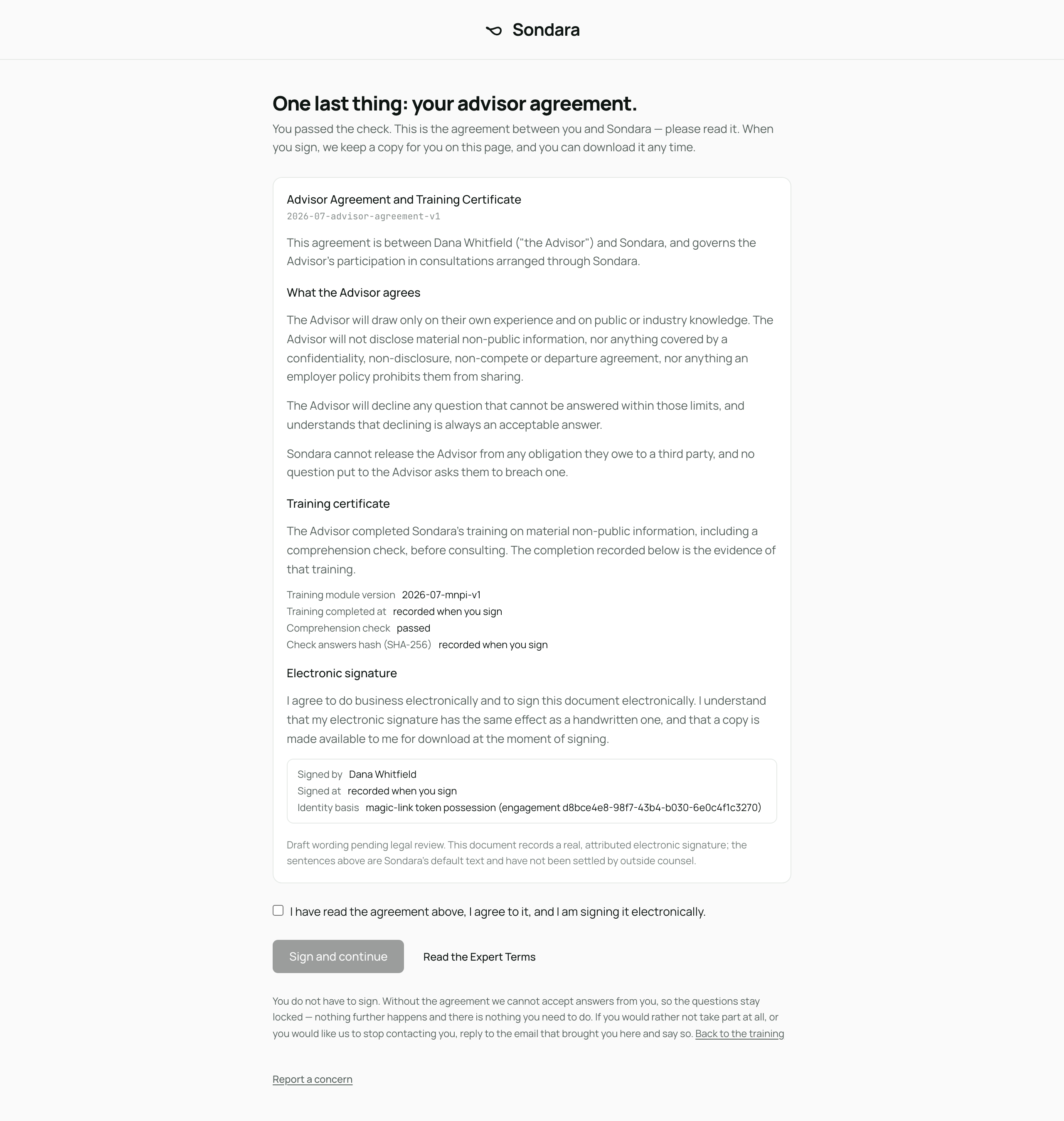
- Advisor Agreement and Training Certificate — signed when you finish the training. It sets out what you agree to (draw only on your own experience and public or industry knowledge, share no material non-public information, decline anything you cannot answer within those limits) and records that you completed the training. It is between you and Sondara, so it carries over to every firm you are invited by. If a firm asks you to sit the training again, a fresh agreement is signed and the earlier one stays in your list.
- Engagement Completion Record — signed when an engagement is delivered. It names you as the counterparty, the firm the work was done for, the times, what you confirmed, and the price agreed. Your answers are not in it, and neither is anything about the firm's research.
Both are electronic signatures, which are binding in the same way a handwritten one is. Each PDF carries a SHA-256 fingerprint shown next to it, so a copy you keep can be checked against ours. Nothing is ever edited after signing: a correction is a new document, and both stay on record.
Email delivery of these copies is not switched on yet, so the invite page is where you get them. The link keeps working, so you can come back for them.
The wording of both documents is our draft text and has not yet been settled by outside counsel. Each document says so on its face.
Good to know
- You never see or need the firm's research thesis — and they never see anything of yours beyond the answers you submit.
- If a question edges into something you can't share, answer what you can and say what you're leaving out and why. A partial, clean answer is valuable; an overstepping one helps no one.
- Your agreement is with Sondara, under the Expert Terms and Privacy Policy.