Your invite, explained
You received a letter or an email with a private link. Here is what it is and what happens if you open it.
How it works
An investment research team is looking for perspective on a topic you know firsthand, and Sondara — the network that connects them to experts — matched your background to their questions. The message that reached you carries a private link, made only for you. Opening it shows you everything up front: the topic, the exact questions, what you would be agreeing to, and a field to name your price. Nothing happens until you choose to submit.
Two kinds of invites exist:
- Named: the message and the page tell you which firm is asking.
- Unnamed: the page says only that an investment research team would like your perspective. Some firms prefer not to disclose their research interests; the questions and the terms are shown in full either way.
The first time you're invited, the training is what opens:
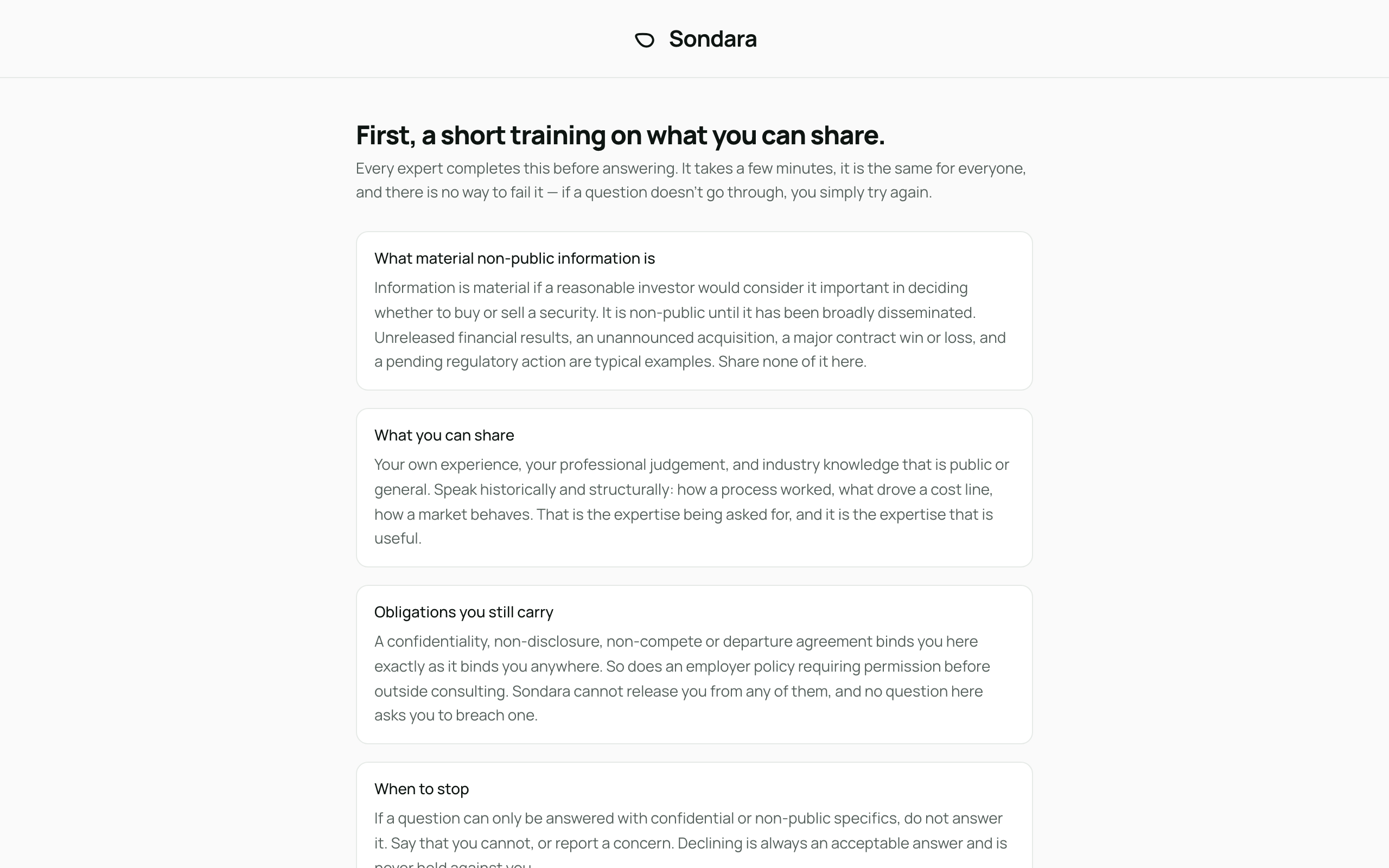
Once it's done, the invite itself — and on later invites, this is what you land on directly:
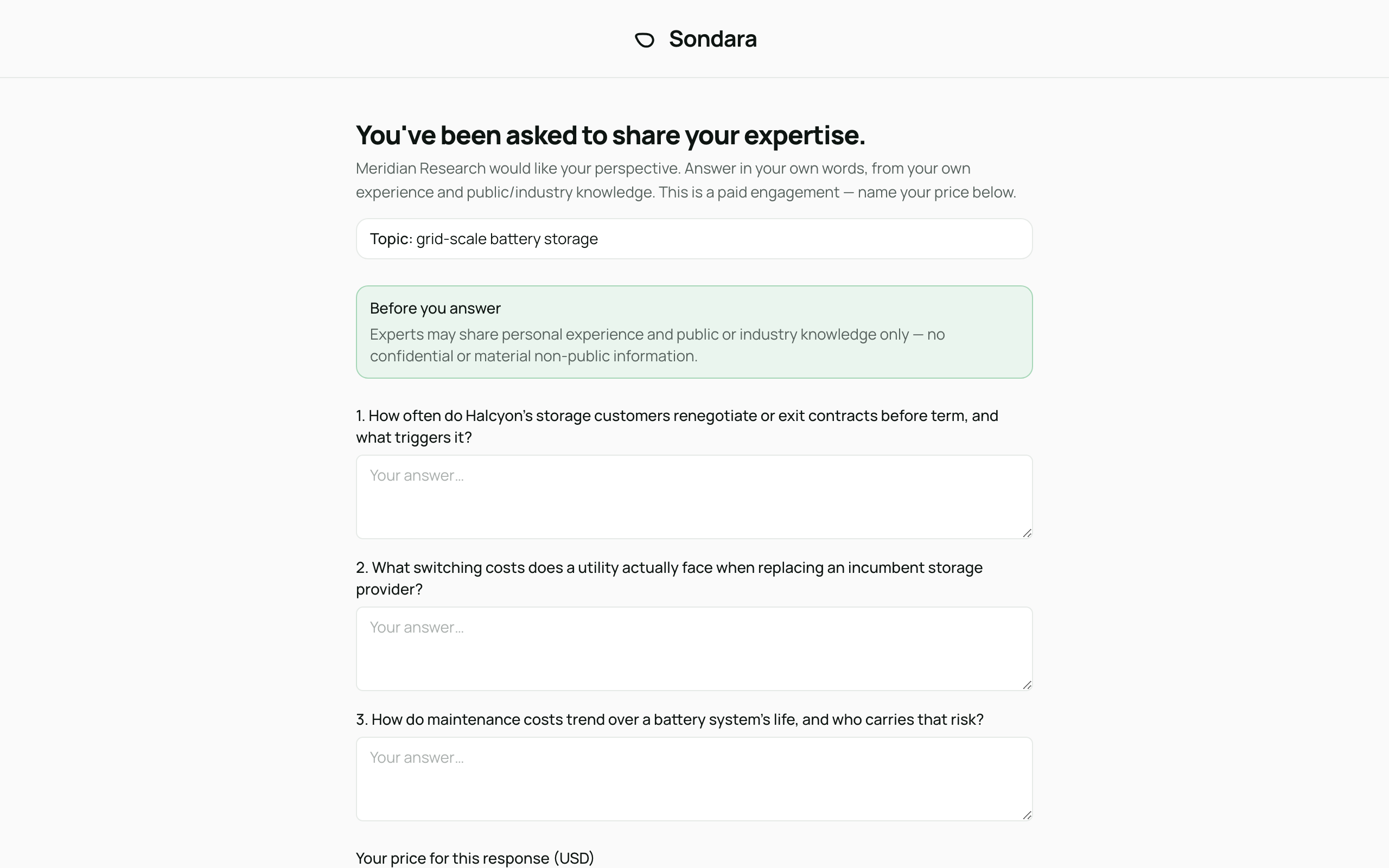
What you do
- Open your private link. The first time, a short MNPI training comes first — a few minutes, unlimited retries, and you won't repeat it on your next invite. Then you'll see the topic, every question, a note on what you may and may not share, and the confirmation checkboxes — all before anything is asked of you.
- Decide in your own time. The link accepts answers for 14 days from the invite. Nothing is recorded until you submit.
- If it isn't for you, do nothing. The link simply expires, and stops opening once it has. Your signed documents, if you got as far as signing any, stay available at the same link. See Declining and opting out.
Good to know
- The link is yours alone — it isn't a login and there is no account or password.
- You will never be asked for confidential or inside information. The rules you confirm are on the page itself, and the first time you're invited a short training walks you through them before the questions — see Training, consent, and answering.
- This is a paid engagement: you set the price. See Price and payment.